



learning to code isn’t just for tech wizards or the next generation of silicon valley moguls—kids across the world are picking up programming skills as early as kindergarten, thanks to clever mobile apps designed with both fun and education in mind. whether your child dreams of building the next hit video game, creating jaw-dropping animations, or solving real-world problems with artificial intelligence, there’s a coding app to suit every interest and learning style. let’s dive into the digital playground and explore the most popular coding apps for kids that truly deliver results.
scratchjr: building big skills with small hands
scratchjr is often a child’s first digital brush with programming. created by mit, this free app invites kids ages 5 to 7 to snap together visual code blocks to animate characters, design interactive stories, and even invent simple games. what’s fascinating is the seamless blend of creativity and logic—children can explore cause and effect, problem-solving, and even sequencing, all while customizing their own cartoon world. unlike traditional coding language, scratchjr requires no typing, which makes it especially accessible for pre-readers and early learners.
codeSpark academy: where games teach coding and teamwork
for kids who learn best by playing, codespark academy is all about learning by doing. their “the foos” universe uses cute, quirky characters and logic puzzles to teach core coding concepts, without any confusing terminology. best for ages 5 to 9, the app features hundreds of challenges, daily coding puzzles, and a creative sandbox where kids can build their own games to share with friends—or even with the global codespark community. it’s not just about coding; teamwork, problem-solving, and persistence are subtly woven throughout.
tynker: a scalable platform for all ages
tynker is the swiss army knife of kids’ coding apps. regarded as one of the most comprehensive platforms, tynker offers guided lessons for beginners as well as advanced modules in python, javascript, and even robotics for older children. what sets tynker apart is its mix of interactive story-based courses, block coding, and real-world projects like drone programming and minecraft modding. suitable for ages 5 to 18, tynker adapts as your child’s skills progress, challenging them without overwhelming.
hopscotch: creativity meets coding
hopscotch embraces the ethos that anyone can learn to code by making cool things. best for kids age 8 and up, this app uses drag-and-drop code blocks to help children build their own games, pixel art, and animations. the community aspect is especially noteworthy; users can share their projects and remix others’ creations, which inspires collaboration and friendly competition. in fact, many hopscotchers have seen their codes featured on the app’s trending page, a fun incentive for budding developers.
lightbot: making logic fun
if your child is less interested in storylines and more tuned into puzzles, lightbot is an ideal introduction. through a series of logic-based games, lightbot teaches the foundations of procedural thinking, sequencing, and debugging. challenging enough to keep older elementary kids engaged, but accessible for beginners too, lightbot is a favorite for both kids and parents who see early computer science concepts sneakily disguised as fun. many teachers even use lightbot in classrooms to support math and logic education.
mimo: coding for teens on the go
aimed at older kids and teens (ages 12 and up), mimo offers bite-sized coding lessons in a mobile-friendly format. it covers real-world programming languages like python, javascript, and html, allowing teens to build websites, apps, and even practice ethical hacking. unlike more game-like apps for younger kids, mimo's approach is straightforward but playful, complete with achievement badges and mini-projects to make learning feel rewarding. it’s perfect for self-motivated learners who want to get hands-on with industry-standard tools.
kodable: programming adventures from preschool onward
kodable stands out by starting coding education as early as kindergarten. with simple, fuzzy ball characters, children learn core computer science principles like loops, functions, and debugging by navigating mazes and solving interactive puzzles. as they progress, kodable gently introduces more sophisticated code concepts and even offers text-based coding to bridge the gap to grown-up programming. the curriculum was developed alongside teachers, ensuring it fits within educational standards and classroom instruction.
why coding apps actually work
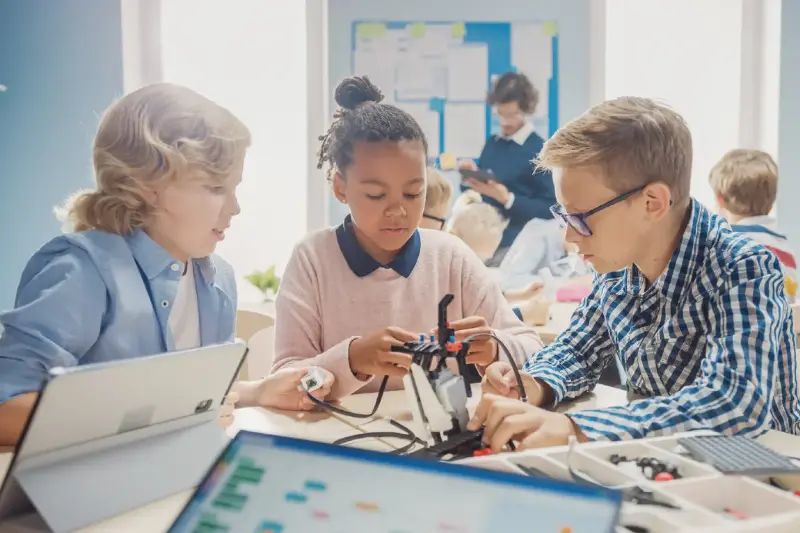
it’s easy to assume that giving a child a “coding app” is just another way to sneak in more screen time, but the psychology and pedagogy behind these apps are compelling. most leading platforms use the powerful learning method of “constructionism,” where kids create and experiment to discover how technology works. instead of passively watching videos or clicking the right answers, young coders build, test, debug, and iterate—learning persistence and critical thinking along the way.
the gamification factor is another key. leaderboards, badges, and creative competitions fuel kids’ natural desire to master new skills and show off their creations. meanwhile, visual programming languages take away the intimidation of syntax errors and typing (a real barrier for little hands), making success not just possible, but frequent.
from screen time to skill time
many parents worry about the hours their kids spend with devices. coding apps cleverly flip this concern on its head, helping transform passive consumption into active creativity and learning. studies show that kids who engage with these educational platforms tend to demonstrate stronger skills in math, logic, and even language arts. they become “digital creators” rather than consumers, equipped with the tools they’ll need in virtually any future career—tech or otherwise.
for the next generation, coding is less a specialized talent and more a basic literacy, and today’s top apps are putting that power directly into kids’ hands—no experience required, just curiosity and a tap on the screen. so whether your child dreams of inventing the next big app or simply wants to understand the inner workings of their favorite games, there’s never been a better (or more fun) time to start coding.